


WordPress image optimisation
This article is 6 years old — prices and terms may have changed.

As a rule the largest files on a site are its visual content. Image optimisation in WordPress is one of the main elements of optimising a site and preparing it for promotion. Do everything right and your site will load considerably faster and even gain extra traffic. Sounds interesting? Read our guide to the end.
SEO optimisation of WordPress images: compression and tags
Optimising pictures, photographs and infographics consists of two stages:
- The first part is compressing the images. It can be done before uploading them to the site or once they are already there. In the second case you will need a WordPress image optimisation plugin. There are several such add-ons; we will cover them a little later.
- The second part is the tags for the images (title, alt and captions). Written properly, the site's images will rank higher in image search and bring you extra traffic.
Image formats on a site
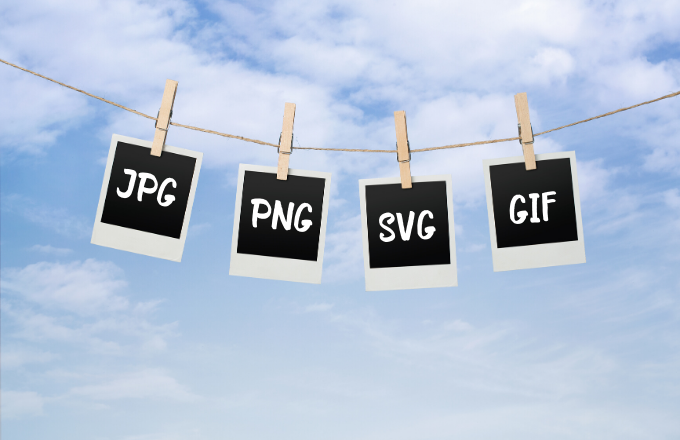
The image formats most often used on sites
Loading speed and picture quality depend a great deal on the format. Which formats are most often used on sites?
- JPG — suits photographs, screenshots and other highly detailed images.
- PNG — images on a transparent background, illustrations, buttons, icons.
- GIF — animated images or short videos.
- SVG — a vector format. It is harder to process and optimise, so it is used less often.
- WebP — this is the format Google recommends, but not every browser supports it. So SEO specialists and web developers look for a compromise and upload images in other formats.
Proportions and sizes of pictures
To know which image size to use, you have to have a clear idea of where that image will sit on the site. There is no sense in uploading a large picture if it will only be shown as a thumbnail. Before publishing, we recommend fitting the photograph to the size you need and cropping away the excess. That way you keep the quality with a smaller file.
To find out the right image size, use an on-screen ruler, or take a screenshot of the text field and look at the size of the image you get.
Compression services and WordPress image optimisation plugins

The services compress images to roughly the same degree
The service TinyPNG works with the PNG and JPG formats. The free version handles files of up to 5 MB. The saving is sometimes as much as 80% of the file, and all of it without loss of quality.
Compressor is another powerful tool for optimising images. Compressor handles files quickly and without losing quality. Its only serious drawback is that files have to be uploaded one at a time.
Iloveimg.com. A service for compressing PNG, JPG and GIF. The images do not lose quality, and you still get very good compression and save disk space.
Plugins for compressing images: features, figures, choice
Besides compression services you can use plugins. They change the size of files that have already been uploaded to the server.
WPSmush. At the time of writing the plugin already has more than a million active installations. Updates appear every three or four days. The tool uses an integration with an external image compression service through an API. After installation you will see a dialogue box offering to compress every file in the media library. All new files are compressed by the plugin automatically.
EWWW Image Optimizer. It uses a connection to several free utilities for fast compression with minimal loss of quality. All of them are part of the plugin's installation package as executable files. That is convenient and saves you from having to download, configure or integrate anything separately. At the time of writing the plugin has more than 800 thousand users who have installed it on their own and their clients' sites. Updates come every one or two weeks. There is also a paid version, EWWW Image Optimizer (Cloud). It likewise uses an external service, which reduces the load on your hosting.
Optimole. More than fifty thousand sites work with this tool. Updates once every two or three weeks. A completely free plugin that will help reduce the size of images and speed up the site. It has a convenient interface, a broad feature set and numerous settings.
WP Optimize. According to the figures on the official WordPress site, this plugin already has around a million active users. It is used by corporate sites, news portals, online shops and so on. It is a genuine all-in-one machine for technical optimisation and for making your site faster overall. WP Optimize can:
- compress images;
- optimise and clean the site's database;
- improve page caching.
It is effective with the mobile version of a site and compatible with every modern theme and the latest version of the WordPress core. The larger the site, the more noticeable the effect of WP Optimize. The tool comes in free and premium versions. For a single site of average size (up to 500 URLs) the free installation is quite enough.
Optimising images for search results: the alt and title tags
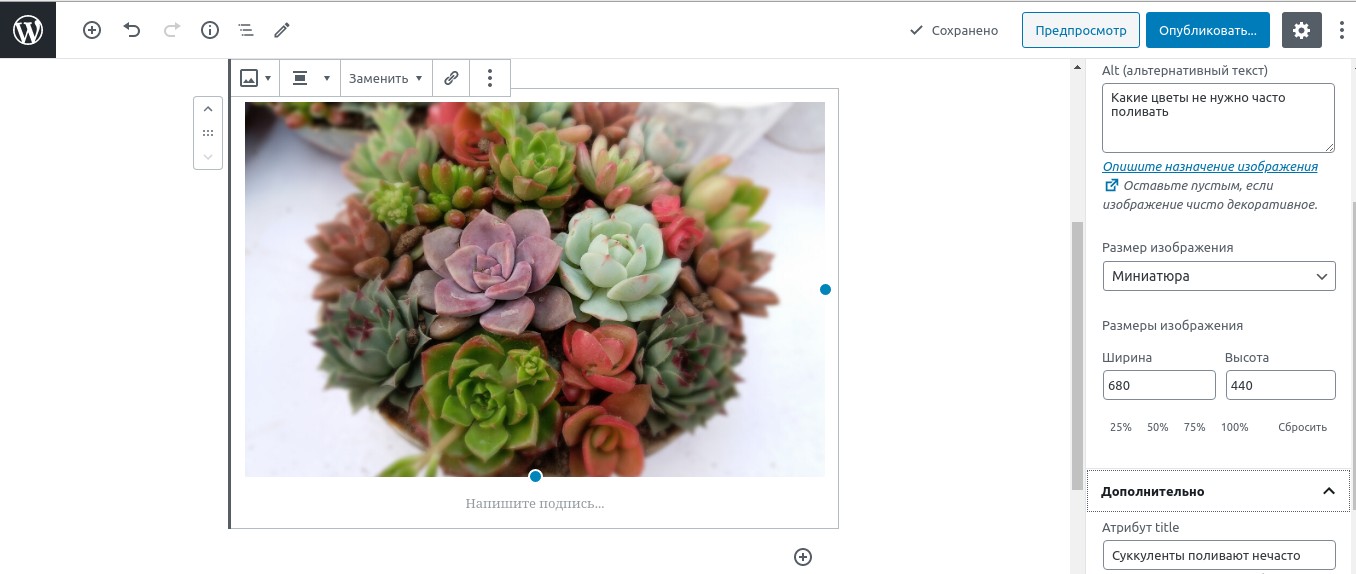 This is how alt and title are filled in for an image in WordPress
When uploading images, they have to be optimised for search results. The first step in that process is the file names. We recommend writing them in Latin characters, with underscores and no spaces. That matters in order to prevent errors on the site.
The next step is to fill in the alt and title tags for the images. The standard media editor in WordPress makes that very simple.
How should image tags be written? There are several recommendations:
- alt and title have to contain the focus keyword — the main high-volume query the page is optimised for;
- we also recommend using the other queries the page is optimised for (in an indirect form);
- watch how the tags appear on the pages while laying out and publishing articles;
- in some cases, besides the tags, captions can be added to images (use keywords in those as well).
If everything is done properly and your site has more than 200 well-optimised images, it will gain several hundred extra visits every month. You will agree that this is a good reason to work on optimisation.
Conclusions and advice for WordPress sites
Properly prepared and compressed images are an important element of a site's technical optimisation. Optimising images in WordPress can speed up loading considerably and even give the site an extra source of traffic.
For that, use image compression services or plugins, and always fill in alt and title for your images.
WordPress hosting from Host4Biz will be another card up your site's sleeve.
Read our blog to stay on top of the freshest and most useful information about internet marketing and about building and promoting sites.