


A site on Joomla. A review of what the CMS can do
This article is 7 years old — prices and terms may have changed.
Joomla is a free content management system (CMS) suitable for building any kind of site. Joomla's source code is open, which makes it possible to change the system's core. On top of that, the CMS has plenty of modules for extending its functionality.
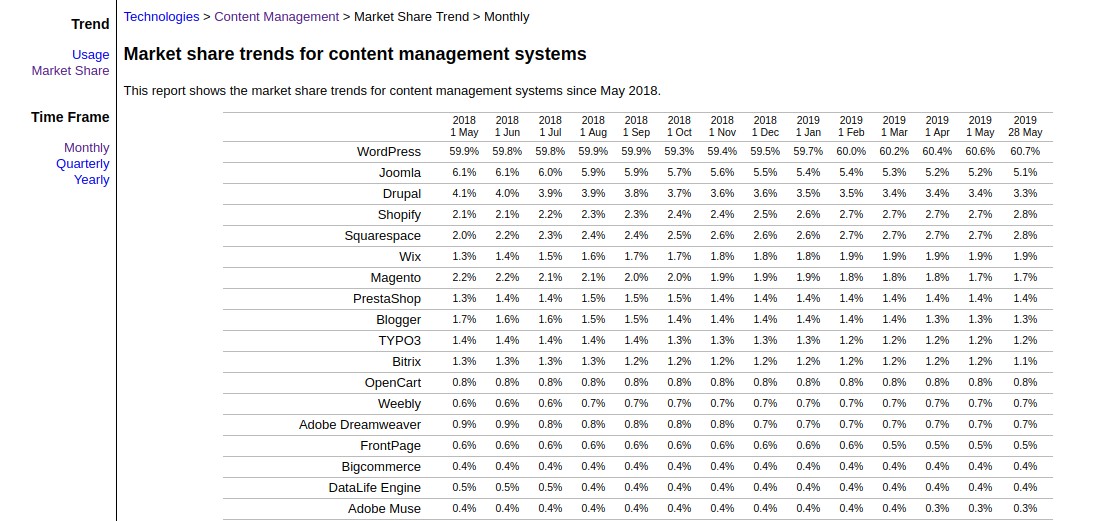
According to W3Techs data for May 2019, Joomla! is second in the world for popularity after WordPress. 5.1% of all sites on the internet run on this engine.
In this article we will go through the features of the Joomla CMS, its functionality, the engine's pros and cons, its SEO capabilities and much more.
Why is Joomla so popular?
Above all because this CMS is fairly simple to use and clear to any beginner. Although it is a little more complex than WordPress, Joomla likewise requires no knowledge of CSS and HTML to launch a simple project. But if a site on this platform is built by an experienced webmaster, they will be able to change the system's functionality and tune it more finely.
Because the CMS was developed quite a long time ago, there is a mass of material on the internet — articles, step-by-step configuration guides and video lessons. The most popular source of knowledge for a beginning Joomla developer is the subject forums.
The engine being distributed free plays no small part in the CMS's popularity either. To get started you need to:
- go to the official Joomla site,
- download the archive, unpack it
- and get to work.
There is no package to pay for and no licence to renew.
In the number of free themes Joomla is of course behind WordPress, though it offers quite a lot of standard solutions. If nothing among the free offerings suits, or they seem too worn out and derivative, you can always choose from the paid themes.
At these links you will find a large number of paid and free themes for Joomla:
We also recommend reading: Promoting sites on Drupal. The specifics and some recommendations
Functionality
Joomla is deployed in one click — all you have to do is choose a suitable hosting plan for your site and register a domain. After that you get all of Joomla's tools at your disposal, and with them you can deliver any project.
The most popular features:
User management. A moderator can add users to groups and assign them access rights.
Caching. We know that a site's positions in search results depend on page loading speed. The pages of a site on Joomla are added to the cache, and that function considerably reduces the load on the server.
Filters and search. For users' convenience you can put a search box and filters on the site so they can quickly find a product, a service or information and filter it however suits them.
Text and graphic editors. Joomla is very convenient for working with both text and media content. It lets you format text and add tables and various objects. The graphic editor comes in handy for working with images. On top of that, you can place photographs, video and animation of various kinds on the site. That makes the site more interesting and varied.
Menus. The CMS makes it possible to create a multi-level user menu with an unlimited number of tabs and a drop-down list.
For the most convenient work with Joomla we recommend adding several plugins:
- A plugin for analysing how the site works with Google Analytics and Google Search Console.
- A plugin for creating site backups and protecting against attacks and spam.
- Search engine optimisation: adding keywords, descriptions and headings, generating a sitemap.
- A plugin for usability — contact forms for technical support and other departments, social media buttons and so on.
Security and vulnerabilities
Joomla is quite well protected from malware and hacker attacks. Updates that keep the engine's security at a decent level are released regularly. But, as everyone knows, there is no such thing as a completely invulnerable CMS.
The system's vulnerabilities are concentrated mostly in the extensions. So do not download Joomla modules from dubious sites. It is best to use files from the official Joomla site.
Which sites can be built on Joomla?
The Joomla CMS has rich functionality, which makes it possible to build sites of the most varied type and content on its platform, from business card sites to online shops. The types of site built most often:
A business card site. The simplest kind of site. A one-page site describing services and contacts can be built on Joomla in an hour. No special plugins have to be installed for that; the ones that come out of the box are enough.
An online shop. To build an online shop you have to install additional modules on the platform, such as EShop, joocommerce, cciDEAL and others. That lets you put a basket on the site, set discounts and connect the payment systems you need.
A gallery. If you are a photographer and want to build a site with images on the Joomla CMS, you should use the PhocaGallery or InGallery plugins. The inGallery plugin lets you show photographs and video from Instagram on the site as customisable galleries.

PhocaGallery lets you set up and create galleries and slideshows in Joomla, add watermarks, insert images into articles and view images or YouTube videos.
And visitors get the chance to rate photographs, leave comments on them and see where they were taken.
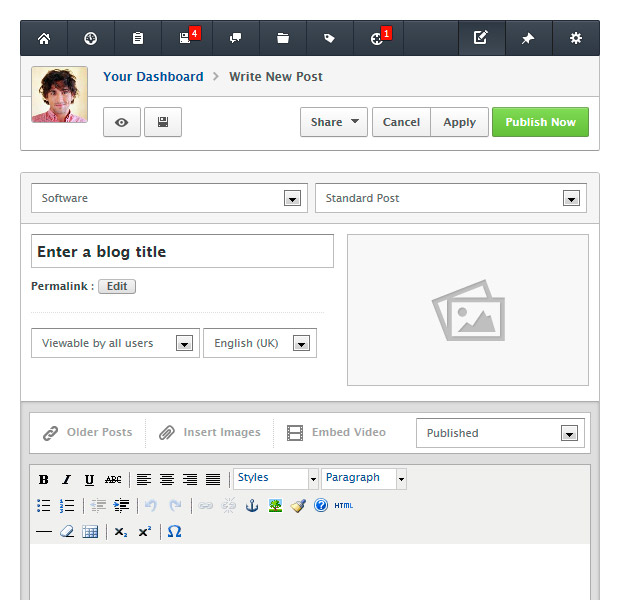
A blog. To create a blog you can use the Easy Blog plugin.
Its functionality is broad: with it you can maintain an unlimited number of blogs, create themes for them and automatically post blog entries to popular services.
On top of that, the plugin has a built-in comment system, supports various editors and much more.
A social network. There are a great many social networks, and every day (and every night) millions of people talk, work and relax in them.
But what if you want to create your own social network — only for artists, or parachutists, or for the people who turn the pillow over to the cooler side before sleeping?
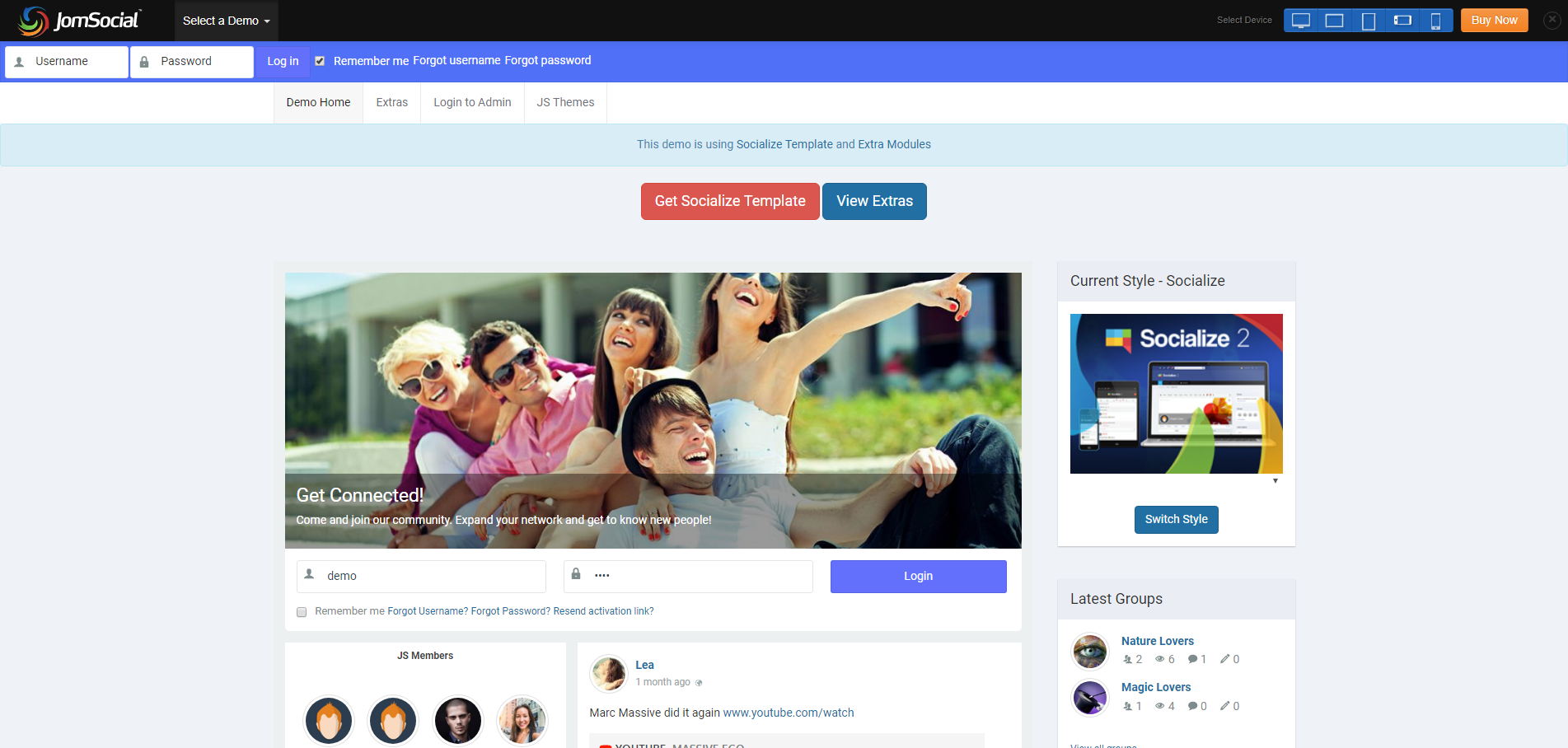
The JomSocial plugin will help you with that. With it you can build a base of users who can be offered the chance to make friends, share video and photographs and create various events.
A site with a list of services. Very often you need a site offering services — haulage or the removal of building waste, for instance. With the Joomla CMS you can make a convenient, attractive site with contact details, service prices and reviews.
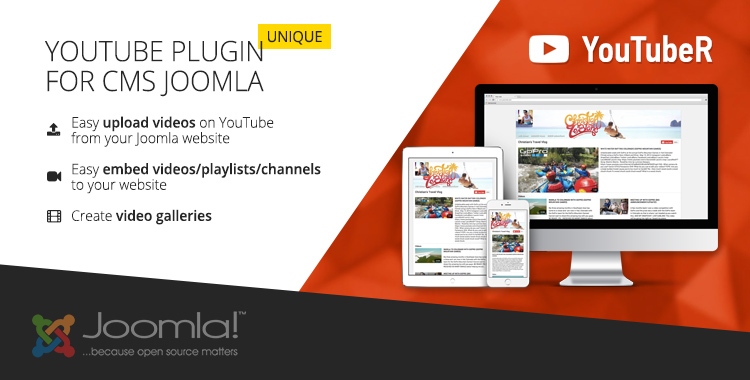
A site with videos. The YouTubeR plugin will help build a site with videos. YouTubeR lets you upload videos to YouTube and embed videos, playlists and channels in the site. With this plugin you can also create video galleries.
Of course only a small part of the projects that can be built on Joomla is listed here, because this platform lets developers solve an enormous number of tasks.
Designs and themes
How your site will look depends on the theme you choose. You can use a free or a paid theme, or turn to design developers.
There are a great many free options, but it is best to look for themes with the query "Joomla template" — there are more offerings in the English-language part of the internet, so there is a chance of finding a theme your competitors have not worn out.
Next, download the theme you have chosen to your computer. To add the theme to the platform, open the control panel and choose the "Install extensions" tool. After that you have to go to the "template manager" and choose the theme you uploaded (select it and click "Default").
To edit a Joomla theme you have to:
- Use the default settings. Most often you can change the typeface, the background, the colour of links and so on. Note that more settings are available in paid themes.
- Make changes to the theme's style files. But for that you need to know CSS and HTML.
The site's menu is created and configured through the "category manager" and "menu manager" sections of the admin panel.
The possibilities for SEO
Joomla has fairly little effect on a site's positions in search engines. The key point remains good, interesting and useful content, updated regularly, with well-chosen keywords.
If the tools offered by default with your chosen theme are not enough, you can install the free EFSEO plugin.
With it, once the Collect URL's option is activated, you can add headings, descriptions and keywords.
And if you need still more tools, you can try paid SEO extensions.
Which hosting should you choose for a site on Joomla?
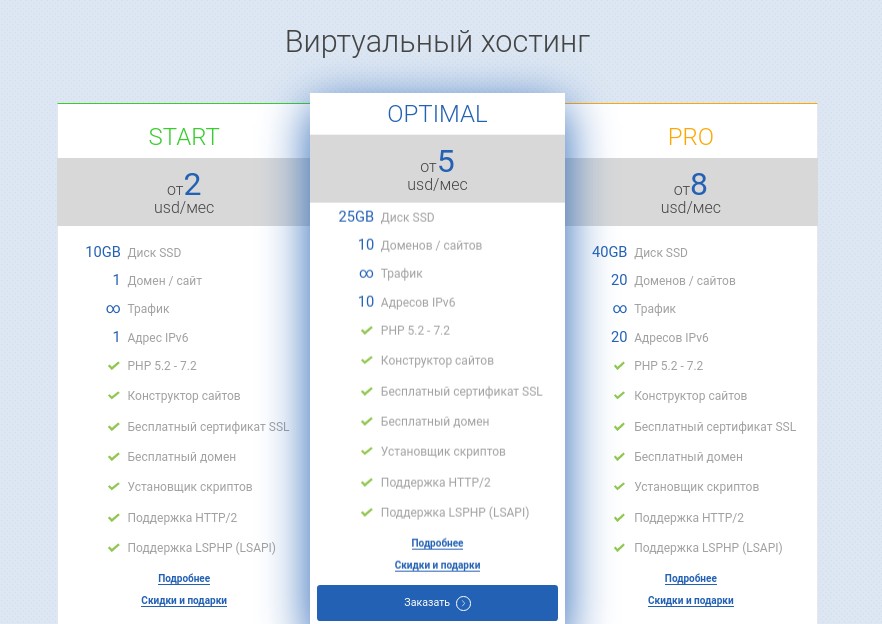
That depends on the kind of site you are going to build on this engine.
If you are building a business card site, the smallest plan in the range will be quite enough — our START plan, for instance.
A business card site does not need much power or much space. But it has everything needed for comfortable work with a site:
- a free domain,
- a free SSL certificate,
- daily backups,
- the Joomla CMS pre-installed.
If you are planning a site with a large amount of information — a blog, say, or a site with video content — it is worth looking at our next two plans, OPTIMAL and PRO.
These plans are more powerful than START and suit larger projects. You can place 10 to 20 sites and mail domains on them; the higher plans also give access over SSH and Rsync.
If you are building an online shop, our hosting could not suit better. This range is more powerful and has not only the advantages of hosting but those of a VPS , with the difference that you will not have to configure anything yourself as you would on a VPS, or pay for configuring and maintaining a virtual server.
What it costs
The Joomla engine can be downloaded free from the official Joomla site. However, launching a site will still take some budget.
If you are going to build your site yourself, you only have to plan for buying a domain and hosting, plus the cost of the paid extensions you need, since free plugins may not be enough.
And if you want to hand the site build to a designer, the cost of the chosen specialist's work has to be added to the price of the domain and hosting.
Prices for building sites on Joomla vary widely, so it is best to choose a developer according to what your wallet allows, your personal preferences and the reviews of their work.
Pros and cons
Joomla is an interesting, powerful instrument for building sites but, like any complex system, it has both positive and negative sides.
First let us note the strengths of the Joomla CMS:
- Joomla is free. The user does not have to pay for the engine itself, for using it, for updates or for support.
- Any kind of site can be built. The most varied projects can be built, from a business card site to a large online shop.
- A large number of free modules. More than 8,000 extensions make it possible to build a site of any type and complexity.
- Modest hardware requirements. An ordinary hosting plan will be enough for a user's project; there is no need to order a physical server straight away.
- Open source. That lets developers change the engine's core and tune their project more finely.
- A great deal of learning material. If you are a beginner and want to build a site on the Joomla platform, you will find all the information you need on the internet.
- A large number of free themes. You will be able to pick a convenient, attractive theme for your site at no cost.
- Updates are easy to install. Both the CMS itself and its add-ons are very convenient to update through the admin panel.
- Extensions are updated regularly. A large number of developers keep building new extensions for Joomla to use in solving the most varied tasks.
But no CMS can be considered ideal, and Joomla has its weaknessestoo:
- No technical support. Every question and problem a Joomla site developer meets has to be solved through the subject communities. The engine's own developers provide no support.
- Vulnerabilities. Unfortunately no CMS is 100% protected from being hacked. Joomla included. But the risks can be minimised by downloading extensions only from the official Joomla site.
- Not suitable for non-standard tasks. Many experienced developers refuse to build non-standard projects on Joomla, criticising the engine's shortcomings as they do. Yet they also note that for standard solutions it is a very decent CMS.
Conclusions
Joomla! is one of the most popular content management systems for developers worldwide. It is a fairly simple system with rich functionality, decent protection from attack and an enormous number of plugins for solving the most varied tasks.
The Joomla platform can be used to build practically any site, from a business card site to a large shop — though in every particular case the arguments for and against using this CMS have to be weighed.