


Opening Business Box: Mattermost and what it can do
This article is 5 years old — prices and terms may have changed.

Organising the work of a remote team always brings a need for messengers. Exchanging messages through the familiar Telegram, Skype or Viber is not always convenient, chiefly because personal and work correspondence have to be kept apart.
So what do you do when you need a full working environment that outsiders cannot reach? The best option is to rent your own VPS and install the services from the Business Box package on it.
The toolkit includes the open source corporate messenger Mattermost.
Let us go through what it can do and what it offers.
Mattermost: an open source messenger for your company
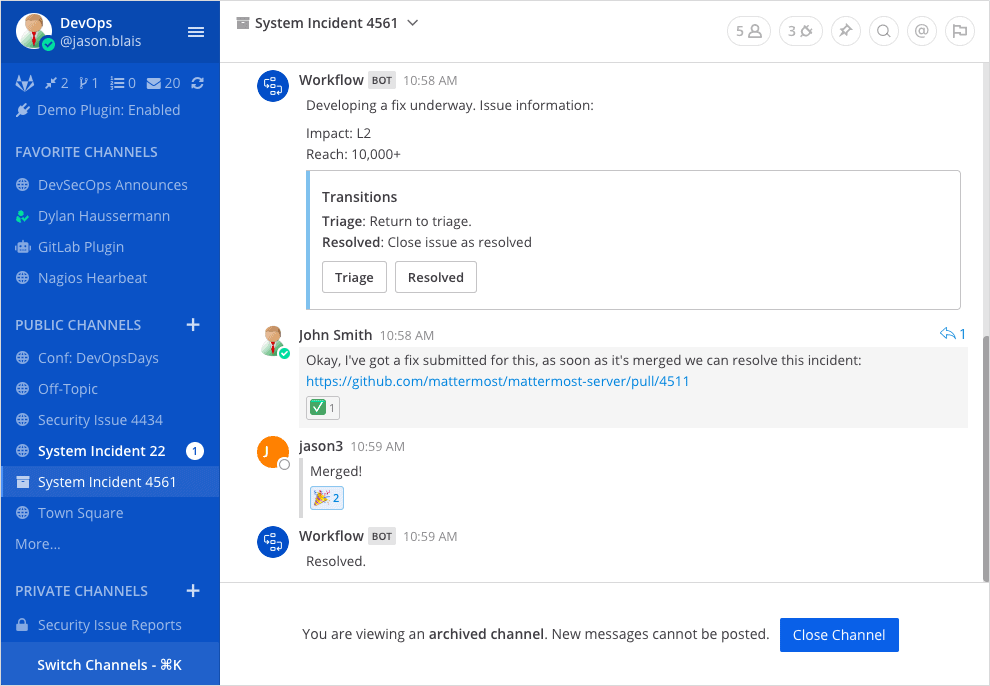
In the Business Box set we have gathered several tools without which a geographically separated team cannot work effectively. One of them is the free Mattermost messenger.
This tool is an excellent alternative to Slack. The smallest Business Box plan costs less than a Slack plan, which starts at 6.67 USD a month when paid annually.
Mattermost creates a shared space for communication with fast search and access to the documents you need. The messenger is easy to install on a company server, and used together with the other Business Box tools it gives you a full working environment for delivering projects of any complexity.
What Mattermost can do resembles Slack's functionality. The open source tool will also:
-
exchange messages;
-
transfer documents;
-
comment on posts;
-
export the history of a conversation;
-
configure personal notifications and user mentions;
-
create channels for private and public correspondence.
Moving from Slack to Mattermost is very simple: user data and the full history of correspondence can be transferred.
Mattermost can be used from a laptop and from a mobile device. Push notifications about tasks can be configured, and a bot with a set of commands added.
The messenger has three kinds of channel:
-
public (for anyone who wants to join);
-
private (by invitation);
-
personal (one-to-one conversation or a group of up to three people).
What the messenger does
-
Communication inside the team. In what it offers, Mattermost is not behind other messengers built for teamwork.
-
Conversation in public channels and through direct messages. In the working environment you can create public channels and send private messages. Markdown is supported, which lets you format chat messages and the channel description. A file sent once can be downloaded by any user in the chat.
-
Team chats. You can add an unlimited number of teams for the whole company and its departments, and create team chats for individual projects.
-
Commenting. Any message can be commented on several times, which removes the need to explain which message you are replying to.
Conclusions
Using Mattermost together with the other tools from Business Box lets you exchange information and working documents quickly and work on projects productively.
Using Business Box removes the need to install and configure the software yourself. Bring in tools for remote work and raise productivity while saving time and money.