


How to install WordPress
This article is 5 years old — prices and terms may have changed.
WordPress is the most popular CMS. Blogs, corporate sites and online shops are all built on it. Plugins and a code editor make the system very flexible. Let us go through installing WordPress on hosting and getting started on a site.
Installing WordPress on Host4Biz hosting
There are two ways to install the CMS on hosting. First we will go through doing it by hand through our hosting interface.
Once you have ordered hosting and signed in, you land on the main page of your client area, which lists all your active hosting services and domains.
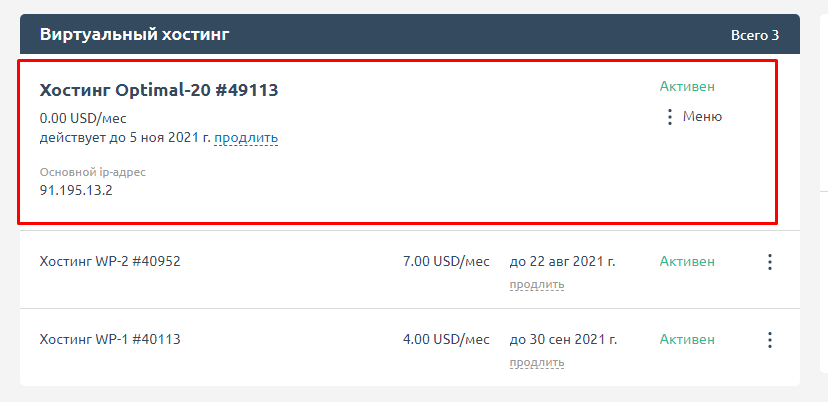
Below we go through installing WordPress on ordinary shared hosting.
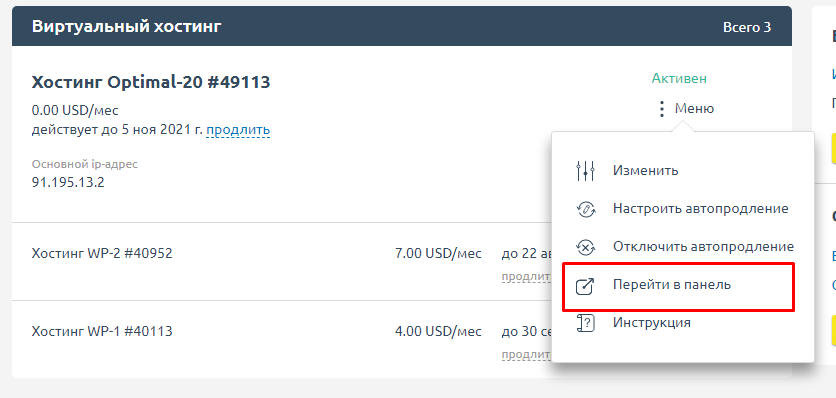
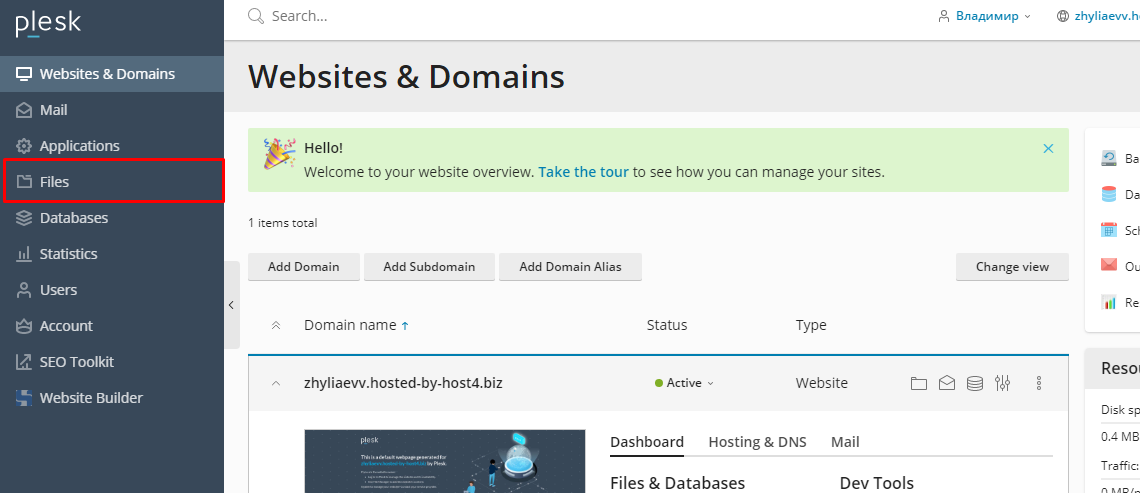
From this menu we move to the hosting control panel, where all the main functions live. Find the file manager:
Then find the official site wordpress.org and download the archive with the CMS.
Note: it has to be wordpress.org.

And the screenshot below shows the download page.

Wait for the archive with the files to finish downloading:

Once it has, unpack the folder and upload it into the site's root directory.

Then open the unpacked WordPress folder on your computer, select all the files and drag them into the window that opened.

The upload looks like this:

It can take a while — it all depends on the speed of your internet connection.
When it finishes, type the site address and add /wp-admin. You will land on the WordPress setup page.
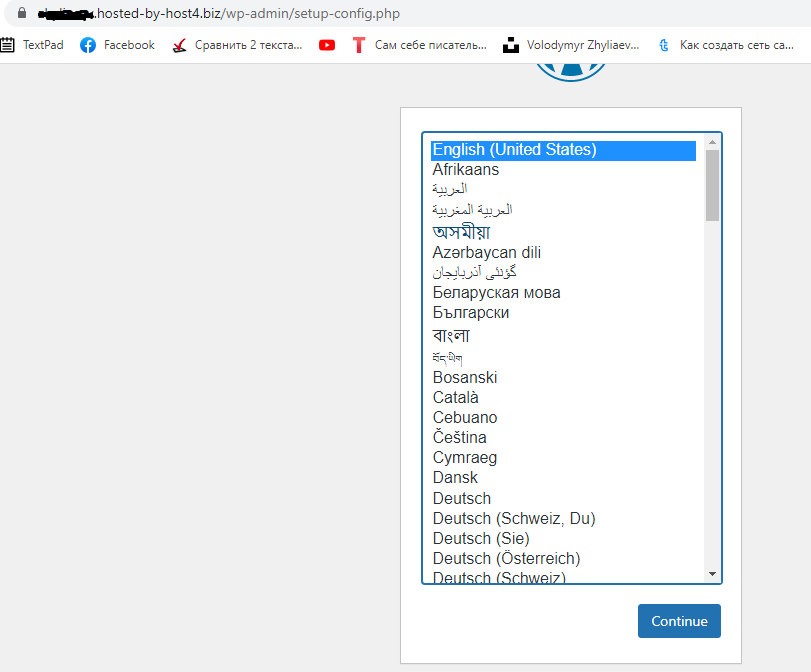
Choose the interface language that suits you and click Continue. You move on to setting up the link between the site and the database.

If you have not created a database before this, go back to the Databases section in Plesk

Here enter the database name, choose the related site, confirm the password and click OK at the bottom of the page.
To tie the site to the database correctly, some extra information is needed:
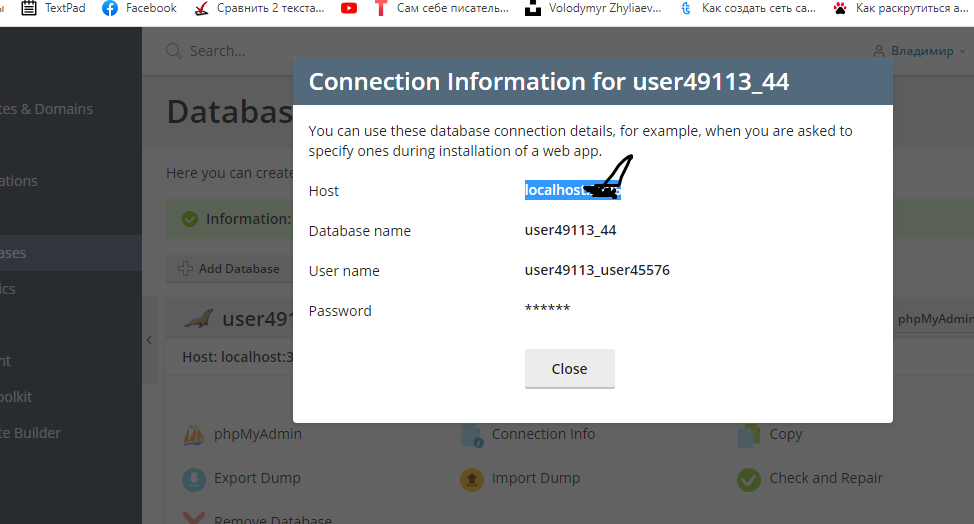
If the generated password contains special characters (` ~ ^), change it. Otherwise WordPress will not connect to the database.
Once the site and the database are linked, you can move on to the main settings and then to building the resource itself.

Summary
If you would rather not install the CMS yourself, you can take WordPress hosting. There the CMS is already deployed, along with a set of useful plugins and other tools for professionals and beginners alike.
Pick whichever way of launching a WordPress site suits you, and grow your online projects with Host4Biz.