


How to protect a site from being hacked
This article is 6 years old — prices and terms may have changed.

Any internet resource that is publicly available becomes a potential target for attackers. There can be several reasons for hacking a site, from damaging your company's reputation or making money to plain vandalism. But in any case a break-in will harm the site — so it is worth studying in advance both the methods attackers use and the ways of standing up to them.
Ways of hacking sites
When a site is hacked the goals can vary:
-
Complete or partial seizure of control over the resource, with the ability to copy data and databases, delete, edit or publish information on the pages.
-
Complete or partial stoppage — the site either simply goes down or works intermittently (slower speed, individual functions failing).
-
Using the hosting resources for the attacker's own purposes — for instance to run a crypto miner, host phishing pages, send spam and so on.
-
Attackers often hack sites with no clear goal, for fun or to hone particular skills.
Depending on the goal the attackers set, a break-in can happen in different ways. The most common methods:
-
SQL injections, shells, XSS attacks.
-
Breaking in through SSH or FTP to gain access to the site's admin panel.
-
Brute-forcing the admin panel by guessing passwords and logins.
-
Exploiting a vulnerability in CMS scripts and plugins that makes it possible to write in malicious code.
-
DDoS attacks, in which a large number of requests hits the server, making the resource unusable.
Bear in mind that in a number of cases the break-in is carried out indirectly, through less protected sites on the same hosting as the target. The attacker first gains access to a less protected resource on the hosting, and then the sites next to it — with protection that looked satisfactory at first glance — suffer.
Here we should note that this situation is impossible with us, because different clients' data is reliably isolated. But within a single hosting account all the sites have access to all the data, so we recommend that customers register a separate hosting account for every important site.
What makes a break-in dangerous: the possible consequences
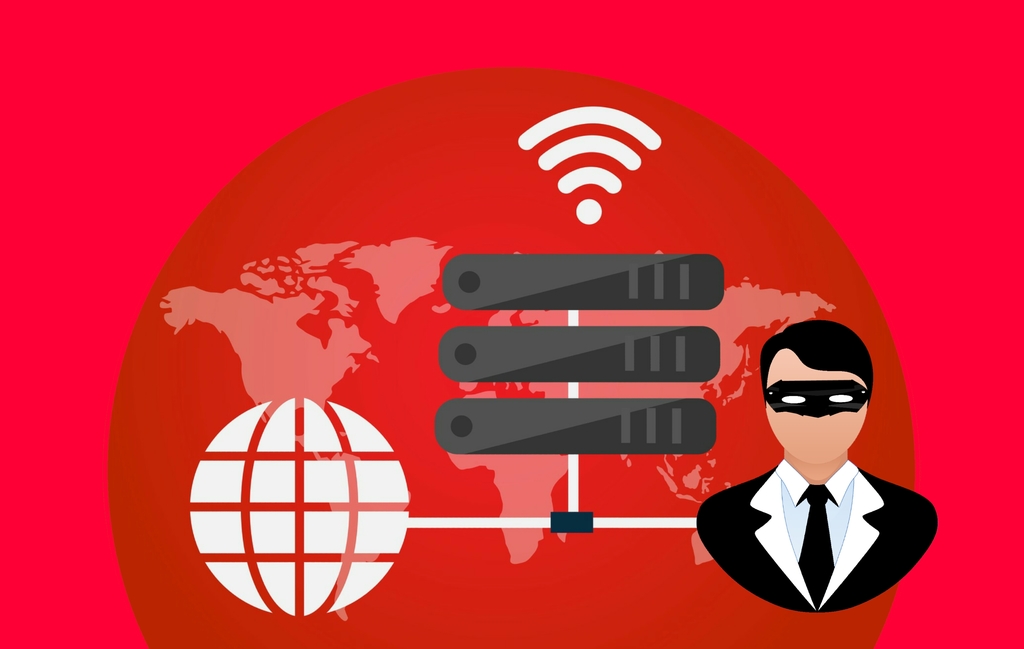
Hacking a site is an unpleasant incident in itself, because any failure in its operation affects both the company's reputation and the effectiveness of its business processes. But different kinds of break-in can lead to different consequences:
-
If passwords are lost or changed by an attacker, the owner completely loses control over the resource and the information stored on the servers.
-
A DDoS attack makes a site unusable, which is critical for information portals, news sites and online shops — the reputational and financial losses can be colossal.
-
When databases are stolen, everything depends on the nature of the information taken. A customer base is usually used for spam mailings, and customers' payment data may be used for financial fraud.
-
The site itself may be used after a break-in as a platform for showing advertising or for redirecting users to pages with malicious scripts. In the latter case any visitor to your site risks picking up several viruses on their PC or phone — most of them designed to gain access to the device or steal personal data.
Even if direct financial losses and loss of control are avoided, the damage will be noticeable. A fall in traffic because of technical problems and reputational harm is practically guaranteed. On top of that, a hacked site is grounds for sanctions from search engines, so neglecting security will undo all the effort and money put into search promotion and SEO.
Ways of protecting yourself
To prevent a site from being hacked, and to stand up to attempts at unauthorised entry, a whole set of measures has to be taken. Protecting a resource from attack is a case where there is no magic pill: every possible route for malware has to be closed off, and the level of security has to be worked on constantly.
Several lines of work are worth picking out here. The first is protecting the administrator's computer. The simplest way to gain access to a resource is to control the PC it is run from. So effective antivirus software becomes not merely desirable but necessary.
Important! Do not forget the human factor. An administrator may themselves use compromised access passwords, and attackers very often take advantage of exactly that. The problem is solved with organisational measures and a working system of oversight. And, of course, by choosing an administrator with adequate qualifications.
Besides that, other measures have to be taken — and they show their greatest effect precisely when adopted together.
Protecting the server
Unauthorised access to the information on a server can be prevented in several ways:
-
Separating the levels of access to databases and other important information.
-
Tracking what users do, first of all what they type on the site.
-
Changing passwords systematically, using the most secure combinations — that is, complex ones resistant to brute force.
-
Creating backups regularly.
Renaming folders and files is an effective measure too (attackers rely on the standard names), as is closing access to the hosting or multi-factor verification of the login, for example with confirmation by SMS.
Reliable hosting
Above we said that a break-in is very often carried out indirectly, with neighbours on the hosting that lack adequate protection used as the launching pad. But that is only one of the reasons why choosing hosting for a site has to be approached with the greatest possible care.
In fact the role of hosting in protecting a site from being hacked is hard to overstate. Companies providing such services care about their reputation, so good hosting itself does everything it can to block outside access. The ability to create backups is a plus, as are an extensive set of tools for separating access levels and even adequate technical support — if it really works, the help of a technical specialist during an attempted break-in will be invaluable.
We also recommend using the tools your hosting provider offers. For instance, our customers' sites are regularly scanned automatically for common vulnerabilities and possible break-ins. If you receive such a warning from your host, it is worth reacting to it as quickly as possible.
A reliable CMS with all the latest updates
A content management system needs protection too. The main task here is not only to choose a CMS with a good record of resisting attacks, but also to update the resource's engine regularly.
As a rule, the newer the installed version, the fewer errors and potentially vulnerable places it contains. Of course new holes in the defences appear over time, but developers patch them quite successfully.
A CMS can be updated either automatically or manually. Using an up-to-date version considerably reduces the risk of successful SQL injections and of attacks using shells or XSS.
An SSL certificate
An SSL certificate is your resource's digital signature; it contains the domain name, details of the resource's owner (a sole trader or a legal entity), the owner's address and so on. Besides that, an SSL certificate includes information about which company issued it and how long it is valid.
Using SSL certificates makes it possible to protect a site effectively from phishing — the theft of personal and financial data — carried out by hacking neighbours on the hosting, gaining access to phpMyAdmin or using SQL injections.
To obtain an SSL certificate you have to approach a specialised company that issues digital signatures; the certification procedure is paid. Some hosting providers give SSL certificates for sites free of charge — if that option exists, it is worth taking both to save money and to raise the level of protection.
Trusted scripts
When downloading additional programs and scripts, use licensed software only. Data should be downloaded only from official sources — otherwise you risk bringing a virus, a shell or a backdoor onto the site with your own hands, after which the risk of a break-in rises considerably.
Security plugins
What a CMS can do to protect a site from attack can be extended by installing additional plugins. The choice is quite wide and the features varied, so you can find solutions for background protection from viruses, for systematic, effective scanning and for creating backups of important information.
Examples of such plugins:
-
Wordfence
-
iThemes Security
-
Sucuri Security
Some plugins are universal, some are compatible only with particular content management systems.
Conclusion
Whatever technology is used to hack a site, unauthorised access to a resource can cause considerable damage, both financial and reputational. Protection has to be built comprehensively, from the choice of hosting and of a sufficiently secure CMS to regular password changes. Only then will every likely direction of attack be closed off — and the risk of a break-in will be minimal.