


The Gutenberg editor. What it can do and how it works
This article is 7 years old — prices and terms may have changed.
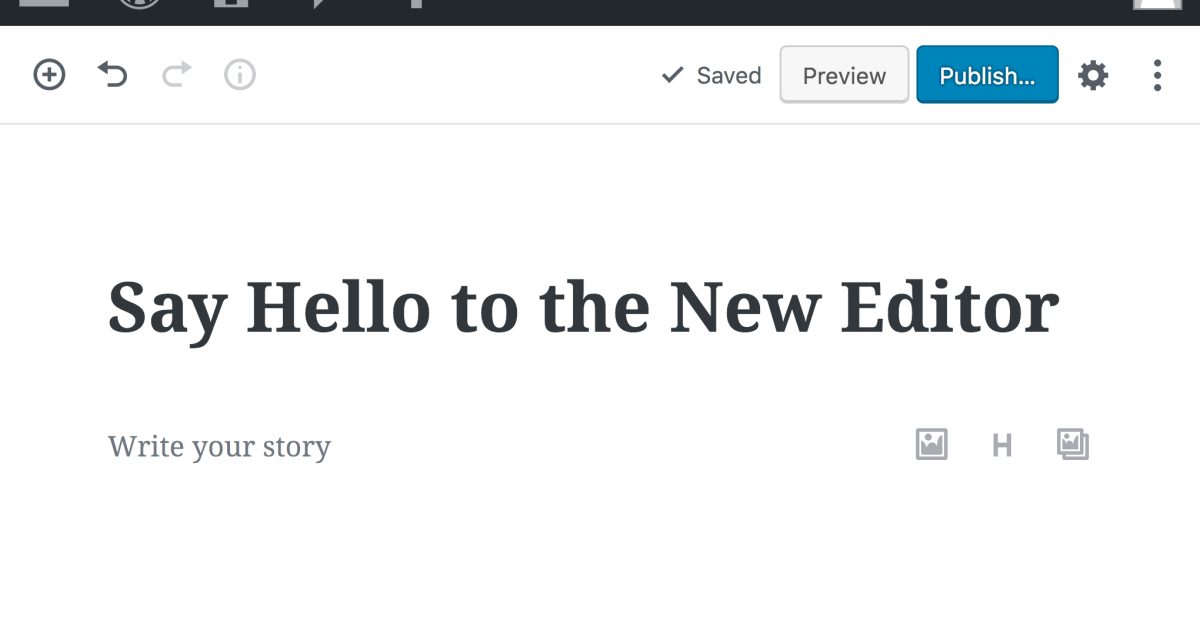
In WordPress 5.0 and the builds that followed, the standard page editor changed. Gutenberg is now installed by default.
It still frightens and confuses many people. In fact it is not as bad as all that. We have put together a review of Gutenberg's main functions. You will learn:
-
How does Gutenberg work?
-
How do you edit pages with it?
-
What are its strengths and weaknesses?
Gutenberg and the WordPress visual editor: how was it before?
Everybody liked the old editor for its simplicity. But that simplicity had a flip side. Without editing HTML it was impossible to build pages with a non-standard layout. And working with HTML itself took more time and a deeper knowledge of it.
Because of all that, developers eventually began thinking about fundamentally new block editors. One of the solutions (along with Elementor and WPBakery Page Builder) was the Gutenberg editor.
So that everyone can decide whether to use Gutenberg in their projects, we will go through the editor's pros and cons. Let us start with the good.
The strengths of the Gutenberg editor
If you look at the new page editor more calmly and objectively, you find many convenient functions and solutions. We will show the main ones.
The block principle
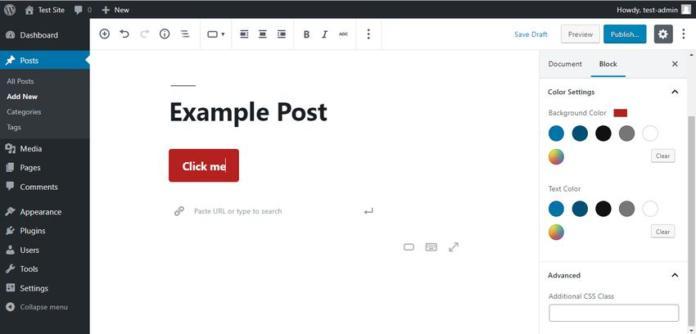
The working principle itself is a big plus of the editor. Every element of a page is presented as a block, and you assemble them into a finished page.
Each block is a separate type of content or page element. Among the blocks Gutenberg has:
-
headings;
-
paragraphs;
-
buttons;
-
galleries;
-
individual images.
Every block has several settings. For example, if you want to create a button on a page, you can change its size, its label, its shape, its position and other parameters.
You will also have access to blocks containing content from third-party developers:
-
Reddit;
-
TED;
-
SoundCloud and many others.
The TinyMCE editor is still available
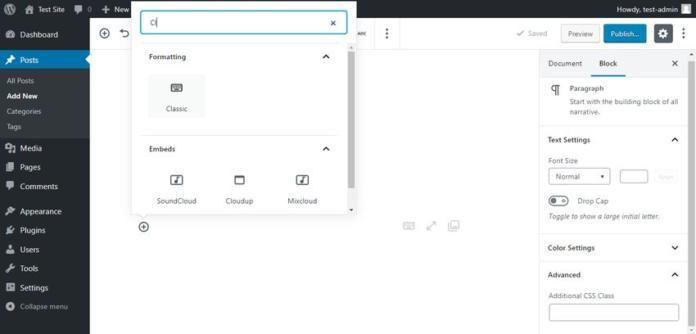
The TinyMCE editor is still available. It has a block of its own called "Classic". Just click the cross in the menu, open the list of blocks and choose "Classic" there.
That is a good option for anyone moving to Gutenberg gradually.
Developers can add their own blocks to the editor
Gutenberg is a developer-friendly editor. There is no longer any need to create shortcodes when non-standard blocks are required. You can create your own visual blocks, add them to the Gutenberg menu and use them all the time.
If you used shortcodes in some posts, they will still work with the new editor. You can easily find block plugins that work well with Gutenberg, among them Yoast, Jetpack and others.
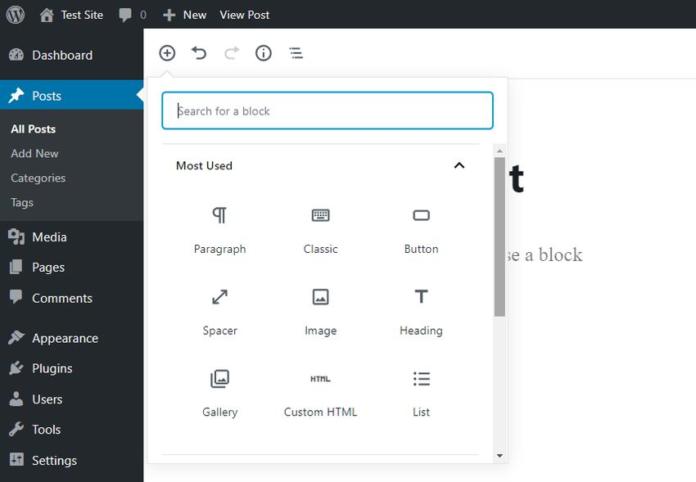
Incidentally, finding the blocks you need is very simple. There is a built-in search box for that. Just type the name of the block you need into the field and the builder will show you the element itself.
Every block can be configured and moved
Blocks can be moved up, down and sideways, and configured. You can do it by simple dragging or with the arrows.
In the right-hand side panel you can configure the whole document and individual blocks. For instance, in the settings of a paragraph block you can change the font size, the style and other characteristics of the text.
Full statistics on the publications you create
With one click of the mouse you can get full statistics on the material you have created: the number of words and images, the total length of the text and other information will be available.
The information can be obtained by clicking the small "i" icon above the block editor.
The drawbacks of the editor
We are making an objective review, so the editor's weak sides are worth talking about too.
An unfamiliar interface
This is the main complaint of everyone moving to the new editor. Indeed, almost every function has been rebuilt and the menus are made quite differently from the previous versions. For many people that is enough to put them off WordPress. But we are sure the matter lies not in the editor itself but in the force of habit. Work in the new environment for a while and Gutenberg will seem quite convenient and logical.
We should note that deleting blocks is rather inconvenient. You have to find the "More options" icon on the floating panel and only there find the "Remove block" function.
Gutenberg sometimes conflicts with themes and old plugins
This problem gets less attention, although it is far more serious. Gutenberg's developers made every effort to make it as compatible as possible. But unpleasant surprises are still possible.
Gutenberg also supports the meta blocks other plugins add.
Gutenberg copies many functions of visual builders
Gutenberg and some page builders have competing functions. One example is adding buttons. In some cases that leads to confusion and problems.
So we advise adopting Gutenberg carefully and making backups before creating new pages.
Many keyboard shortcuts do not work
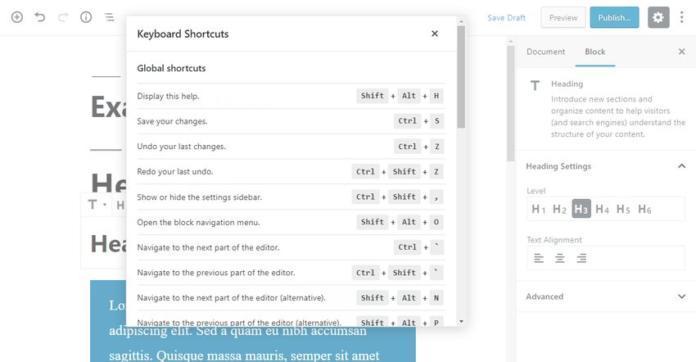
The key combinations you are used to from the old editor no longer work in Gutenberg. That is often down to the block principle of building pages. The first thing that strikes you is that a heading can no longer be created with a keyboard shortcut. It can only be done with the special block in the editor's set of elements.
In the tools and options menu (the three dots at the top right) there is still an item with the keyboard shortcuts. There you will see the new working combinations.
The old combinations work inside classic blocks.
Conclusions
On the whole the editor is quite capable and convenient. At the moment it still meets a certain amount of rejection and resistance from the community of WordPress enthusiasts. That is understandable, especially if you look at the editor's real weak points.
It is perfectly obvious that Gutenberg will change further, and quite considerably. How successful those changes will be, time will tell. And we will keep telling you about the most important things in the world of hosting, web development and online marketing.