


Tilda or WordPress? Which is better for your site?
This article is 5 years old — prices and terms may have changed.
Marketers and business owners often ask themselves what to use for building a site — WordPress or the Tilda builder. Both platforms are developing actively, both claim to be universal and back those claims with updates and real examples. That pleases users but complicates the choice.
We will compare what Tilda and WordPress can do, to work out which tool suits which type of site.
Which is better for building a site, Tilda or WordPress?
Neither engine can be called better for every project. Tilda is more effective for building landing pages and small brochure sites. WordPress shows itself better for blogs, business sites and online shops.
The strengths and weaknesses of WordPress and Tilda
Let us look at the strong and weak sides of each platform:
The advantages of WordPress:
-
Sites are stored on reliable paid hosting controlled by the site's owner. If you need help, the support team is there.
-
Monthly hosting payments cost less than Tilda's plans.
-
Any type of site can be built on the platform.
-
Thousands of plugins are available for various functions, and most of them have a free version.
-
The CMS itself is free.
Minuses:
-
Many find WordPress harder than Tilda because of the large number of varied settings, particularly if you use Elementor, Gutenberg or other page builders.
-
There may be costs for a paid template or the PRO version of a page builder.
The strengths of Tilda:
-
Paid for a year at a time it is comparatively inexpensive (around 500 roubles a month).
-
You simply pay the subscription. No hidden charges.
-
There is a built-in CRM system.
-
The service has its own support team.
-
The system will do for building every type of site.
Drawbacks:
-
Paid monthly it works out rather expensive (around 750 roubles).
-
The site does not sit on hosting the owner controls.
Comparing the functionality
Even without plugins, or with a minimum of them, WordPress will build landing pages, brochure sites and blogs. Additional components are needed to speed a site up, optimise it for search engines and secure it further.
The standard Gutenberg editor is built into the CMS. It can be replaced with Elementor, which installs along with other plugins. A page editor widens the options for configuring a site beyond what the CMS and the theme offer.
Tilda works on a very different principle. Here pages are assembled from functional blocks, which can be added in any order and then configured for appearance and structure. About half the sections are available only on the paid plans. Tilda has templates, but all of them are single-page, which makes assembling a multi-page site in a single style harder. So the stereotype that Tilda is for beginners is not always correct.
Both WordPress and Tilda allow the code of third-party services to be embedded. Most often that is the Facebook Pixel, Google Analytics and other monitoring systems.
WordPress's strength is its plugins. With them almost any task in building a site can be solved. The catalogue holds:
-
form builders;
-
builders for landing pages and for pages on a site;
-
tools for speeding up loading;
-
plugins for search optimisation;
-
plugins for setting up redirects and more.
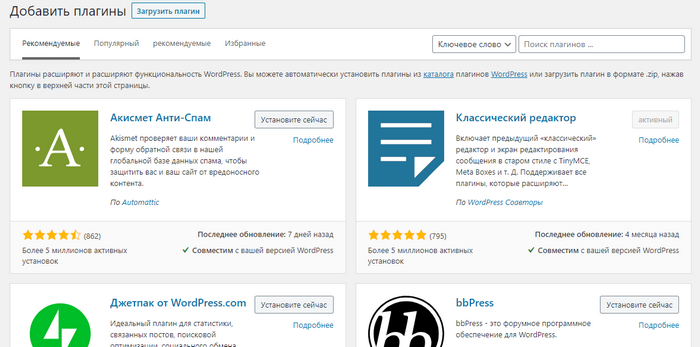
If you need to build and launch a shop on WordPress, use eCommerce. With that tool you can set up payment, delivery, the shape of the product card and everything else a shop needs to work.
If your site runs on WP, it is better to install only the plugins and themes you need. An excess of files can load the server and slow things down.
Configured properly, Tilda can serve for a blog as well, though few people risk using it that way. In the News and feeds section you can configure how publications are listed.
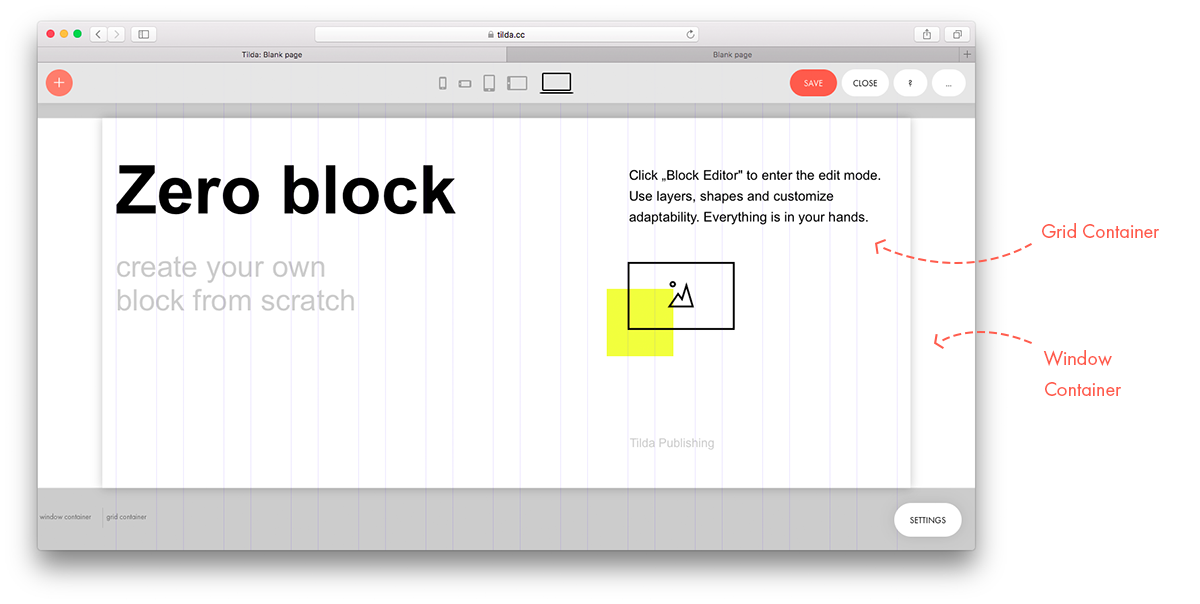
Tilda's most interesting function is Zero Block, an editor for creating your own sections from scratch. The tool calls for skill and design experience.
Tilda has built-in functionality for a shop, but it falls well short of eCommerce. You will not manage to create a large, well-structured storefront with filters.
SEO functionality exists on both platforms. You can write a title and description, embed analytics and move to https. Both systems will also produce human-readable URLs. In WordPress, in our subjective view, all of that is done rather more conveniently and simply. But Tilda has been getting more SEO-friendly lately.
For all the variety of the builder's functions, WordPress in its out-of-the-box version already surpasses it many times over in the range of capabilities and settings. Configured properly and with the right plugins, WordPress scales almost without limit. It will do for portals with millions of visitors a month.
The result of the comparison
WordPress and Tilda are at different stages of development. Thousands of specialists around the world have worked on the CMS and its components for 15 years. In effect WordPress gave rise to an enormous market. Installing the free version of Elementor is enough to get more capabilities than Tilda has. But you have to know how to use all those functions — developers leave most of the settings unused, or use them wrongly.
On top of that, for some simple brochure sites and landing pages Tilda's capabilities are more than enough. This platform beats WordPress only in having a CRM system of its own. It is simple, but quite convenient.
Our conclusion. For blogs, medium-sized online shops and business sites, WordPress is the better choice. For many reasons Tilda simply cannot be better than the CMS: it costs more and does less. In a year or two the situation may well even out. For now, for large-scale projects we recommend WordPress — and Host4Biz will provide reliable hosting for sites on this CMS.