


10 tips on using hosting
This article is 10 years old — prices and terms may have changed.

We are often asked how to use hosting properly and avoid mistakes when working with data.
So we decided to put together our own list of recommendations on working with hosting for everyone who has a site.
1. Separate your projects.
 Practically every host, ourselves included, offers the option of placing a large number of sites on one hosting account.
That option, however, should be used carefully.
If one of the sites is broken into, the attacker gains access to every site on the account and will almost certainly try to leave a "gift" on each of them: a malicious script, a web shell for getting back in and so on.
It is considered good practice to place important projects in separate hosting accounts.
2. Make backups of your data.
 Nothing is absolutely reliable, still less eternal.
Although we, for instance, make two backups of every customer's data on different backup servers, it may well turn out that the file you need to restore disappeared six months ago and that copy has already been deleted from the backup server for age.
3. Do not keep anything unnecessary on your hosting account.
 As new projects are launched and stopped, as you work with new programmers and so on, unnecessary files, FTP accounts, databases, users and the rest can build up on a hosting account.
Every such unnecessary element is a potential hole giving access to your data.
So if a programmer leaves, for example, their separate FTP access is best deleted.
4. Update your CMS on time.
The more time has passed since the site's CMS and its plugins were last updated, the greater the chance that 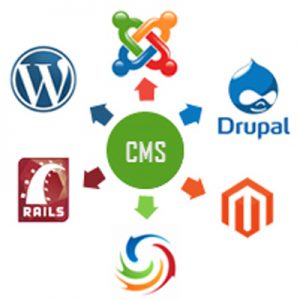 a fresh vulnerability has been found in the code and you have no patch installed for it.
Even if there is nothing especially important on the site, updates should not be neglected. If a spam mailer is uploaded to the site, for instance, the host will be forced to block mail sending temporarily for the whole hosting account.
5. Use licensed themes and plugins.
 Many webmasters build sites on popular free content management systems — WordPress, Joomla and so on. And then it turns out that the plugin or theme they badly need is paid. After which people often start looking for that add-on free on various crack and hack sites — and find it, frequently with a security hole built in.
In such a situation, try either to find an alternative add-on or to buy the original from its author after all — as a rule it is inexpensive.
Otherwise the situation begins to resemble buying a door lock at a flea market: there is a lock, but how many keys there are besides yours, and whose hands they are in, nobody knows.
6. Keep an eye on the load.
 Most hosting control panels (including the ISPmanager + CloudLinux we use) give the user access to server statistics — how much space is taken, how the processor and memory are used and so on.
If a site suddenly starts responding more slowly or showing an error, look at the statistics first.
7. Check the logs.
 The server keeps journals of its own work and of visits to customers' sites — log files.
And if they are not switched off in the control panel, they can become a source of valuable information: why an error is shown on a page, where a pile of strange requests came from and so on — a great deal of useful material can be found in the logs.
8. Split your files up.
This advice applies to online shops especially. As a rule their content management system saves all the  uploaded product images in a single directory. But once a directory holds more than 1,000 items, the file system itself starts to slow down. And the more files there are, the more noticeable it becomes.
So files are better split up — instead of images/20160318141900.jpg save them as images/2016/03/18/14/19/00.jpg.
9. Order a dedicated IP address.
 If your hosting account carries important mail that has to work at all times, it is worth ordering a separate IP address.
Despite all the host's precautions, customers' sites or mailboxes are sometimes broken into and start sending spam. After which the shared IP address available to every customer on the server may end up in international spam host databases for a while, and many external services will not accept mail from it during that time. With a separate IP you need not worry about that.
10. Pick a suitable plan.
 As a rule the plans of a hosting provider differ in price by a small amount. Yet for some reason many customers try to save on exactly that, despite the fact that different plans include different resource limits and that can noticeably affect how fast a site works.
Try different plans for your site and pick the best one — as a rule moving from one plan to another happens at no extra charge.
Of course this is not everything we could recommend to site owners. But these are the points that appear most often among the recommendations we give customers of our shared hostingservice who contact technical support.
If after this article you decide to follow our recommendations, somewhere in the world a little site will smile happily.
Images from Freepik.com