


The best free SEO tools
This article is 6 years old — prices and terms may have changed.

Promoting sites in search engines is a complex process that includes technical fixes, work on content, analysis of competitors, analysis of links and much else besides. To work more simply and effectively, specialists use dozens of paid and free services.
We have put together a selection of free SEO tools for you. Using them makes it possible to save marketing budget without scaling marketing activity back. You will agree that this matters a great deal during a pandemic and the crisis that comes with it.
What can you do with free SEO tools?
At which stages of SEO optimisation can free tools be used? At practically every one. Most often free services are used for several tasks:
-
selecting and analysing keywords;
-
analysing and improving content;
-
a technical audit of the site;
-
analysing site performance and so on.
In this article we will cover the services used by experienced SEO specialists, marketers and even business owners who want to keep an eye on the contractors they hire.
Tools for selecting keywords
Selecting keywords and building and clustering a semantic core takes a fair amount of time. There are several tools that make the process simpler and more effective.
Google Keyword Planner. This is the most popular of Google's free services. It lets you judge how effective keywords are by several parameters: search volume and competition. The service lets you export the data and save it in a convenient table form.
Keywordtool.io. Generates keywords and search suggestions using autocomplete in Google. The service has a paid plan. Users who pay for a subscription get information about the search volume of queries. The service can be used for search optimisation on YouTube, Amazon, Bing and Twitter.
UberSuggest. A capable, free service from the well-known entrepreneur Neil Patel. UberSuggest analyses the content of a resource and builds a list of the keywords it ranks for. It is an excellent instrument for analysing competitors. The service also lets you analyse keywords by volume and competition. A paid subscription makes it possible to:
-
track the site's positions for particular queries;
-
carry out a detailed audit of sites;
-
analyse competitors;
-
analyse a site's link profile.
BuzzStream Meta Tag Extractor. This service extracts information about the title and description tags across a whole site or on separate URLs. You will be able to collect information about your competitors' decisions and use what works for them in your own projects.
Keyword Eye. Another service for selecting keywords. It has an interesting feature: the text of the queries is displayed in different sizes and colours. The size indicates the search volume and the colour the level of competition for that query.
Services for analysing content

Keywords in the text are only one of the parameters that determine the quality of content and affect how sites rank. There is also the uniqueness of the text, its length and much more. Which tools can be used to analyse those parameters?
CopyScape. A convenient service for checking how unique the texts on a site are. Simply enter a URL and the system will show you the level of uniqueness.
In a separate article we wrote about services for checking the uniqueness of a text.
Siteliner. Checks the content and the pages on a site against a great many parameters. It helps find duplicates and broken links.
Other tools for auditing sites
Fixing technical errors on a site is an important part of SEO optimisation. That is why we have included free tools for a technical audit in the selection.
URI Valet. Shows a site's loading speed and several other parameters that matter for SEO. All the statistics are presented on one page in a convenient format.
Site Condor. Analyses sites of up to 200 URLs free. It checks page indexing and other parameters.
Microsoft Free SEO Toolkit. A package of free tools for a deep analysis of how well a site meets search engines' requirements. There is an option to export files with detailed reports.
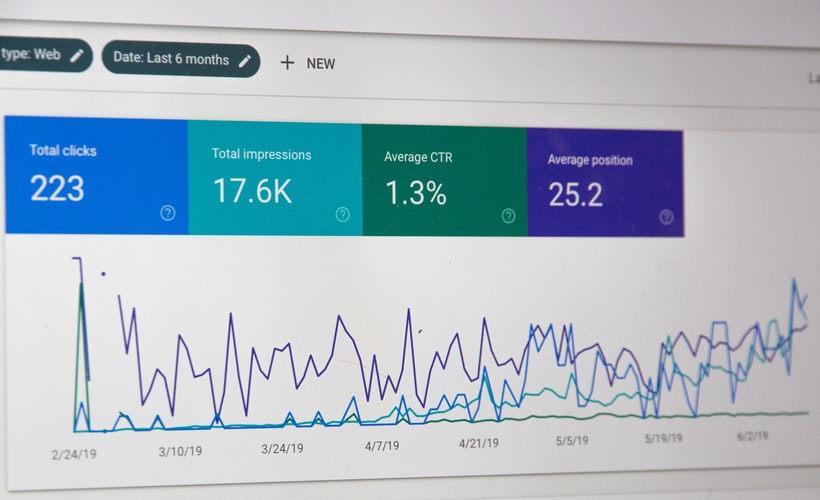
Google Search Console. An analytics system that shows:
-
the number of visits to particular pages;
-
information about the indexing of pages;
-
technical errors on the site;
-
information about the search filters applied to the site.
We strongly recommend connecting Google Search Console to your sites. It is best done while the site is being built. That way you will prevent most errors, or be able to fix them quickly.
Screaming Frog. A program for a comprehensive analysis of a site's condition. It checks URLs against dozens of parameters and points out errors in robots, the sitemap and the meta tags. Screaming Frog also shows duplicates and broken links.
Google PageSpeed Insights. The service assesses a site's loading speed and gives recommendations on how to increase it. It suits experienced SEO specialists, marketers and web developers. PageSpeed Insights may suggest alternative solutions to technical problems, for instance installing particular plugins.
Pingdom Website Speed Tool. An alternative to the previous service. It has a larger set of settings and gives more statistics. For example, you will be able to check a site's speed in different corners of the world — and it can differ.
RobotsGenerator.com. A service for correctly generating the Robots.txt file, which governs the indexing of your site's pages.
XML-Sitemaps.com. A similar service that generates a sitemap for search robots.
Conclusions
Thoughtful use of free SEO tools will help you promote a site effectively and save budget. Try out the services in this selection and pick the ones that suit you best.
The Host4Biz team will keep sharing useful information with you about everything to do with hosting, sites and their promotion.