


Correct pagination on a site
This article is 6 years old — prices and terms may have changed.
When working with large sites, the problem of duplicate pagesbecomes acute. Their appearance costs the site traffic from Google. Poor indexing lowers the profitability of an online shop or a portal. Correct pagination is one of the ways to solve the duplicate page problem.
We will go through the mistakes in pagination and the ways to avoid them. Read on and apply the recommendations to your own sites.
What is pagination and what kinds are there?
In SEO this term means a way of displaying part of the data from a large set. For example, part of the products in one of an online shop's categories. Other names: paging, listing and so on.
There are several types of pagination:
-
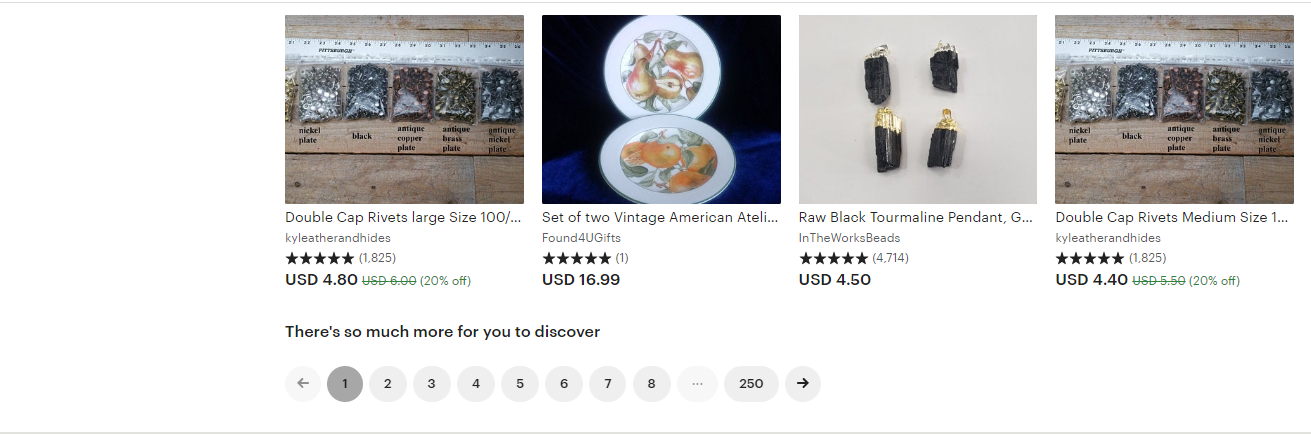
Direct. In this variant the numbers of the pages with data from one set are shown (1, 2, 3).
-
Selection range. With this type of pagination a range is given (1–20, 21–41 and so on).
-
Reverse pagination. (New, 100–21 and so on).
Where is pagination used?
Dividing a large set of data matters not only to online shops. Let us go through every possible case.
Pagination of a blog on a site
A blog is an important part of a modern site. To make the section with articles more convenient, they have to be split across pages. Here page-by-page pagination is most often used, with one special feature. Before and after the list of pages there are Previous and Next buttons that move the reader one page back or forward.
Each such blog page has its own URL. For example:
website.com/articles, website.com/articles-2 and so on.
For stock photo sites, libraries and similar resources, gallery pagination is convenient. In that variant every image has its own unique page.
Pagination inside categories
On a site with a large number of categories you often have to scroll the page down. There is a way to make such pages more convenient — with a Show more products button at the bottom.
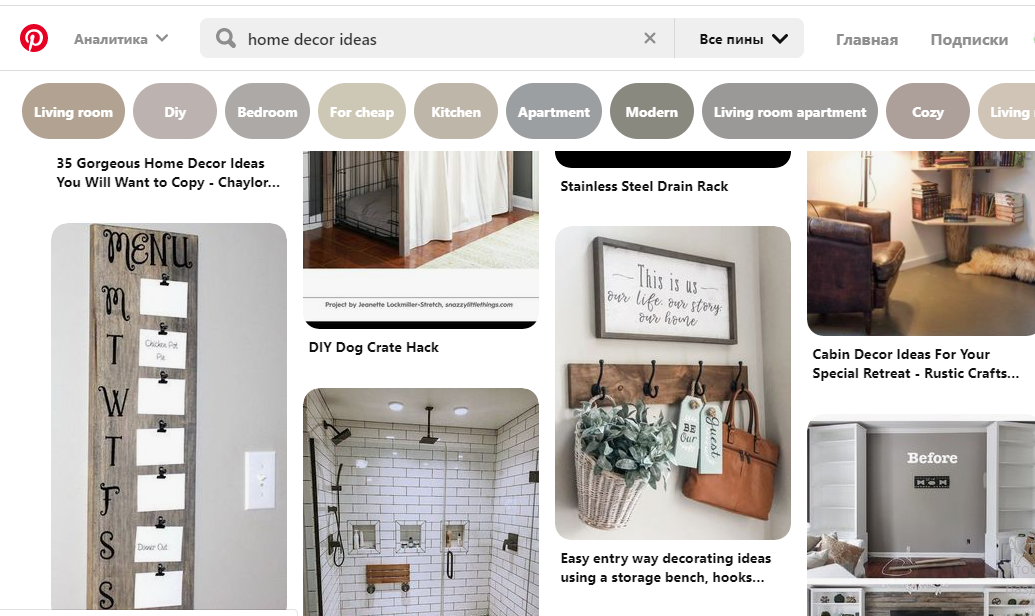
In effect this is a form of infinite scroll , one of the most advanced methods of pagination. You can see an example on Pinterest.
A TIP! Shops are better served by a sorting block. This has to do with how users' attention works: visitors rarely go beyond the third page.
How do you set up pagination properly?
Setting pagination up properly to improve SEO metrics is not hard. Just follow one of these methods.
Option 1. Use Noindex on the pagination pages
The simplest and fastest way to set things up. You simply remove every pagination page except the first from the index. It is done with the tag.
From pages of the form site.com/catalogue/page=1 set up a 301 redirect to the main page.
The drawback of this method is that it slows down the indexing of the products in the catalogue.
Option 2. Using rel="canonical" and showing everything
This variant is based on Google's recommendations. The essence of the approach is to create a page on which everything is displayed. On the following pages you have to set
rel="canonical" (pointing at the main content).
The main difficulty is keeping the main page fast to load. With a large number of products that can be hard.
Option 3. The Rel="prev"/"next" attributes
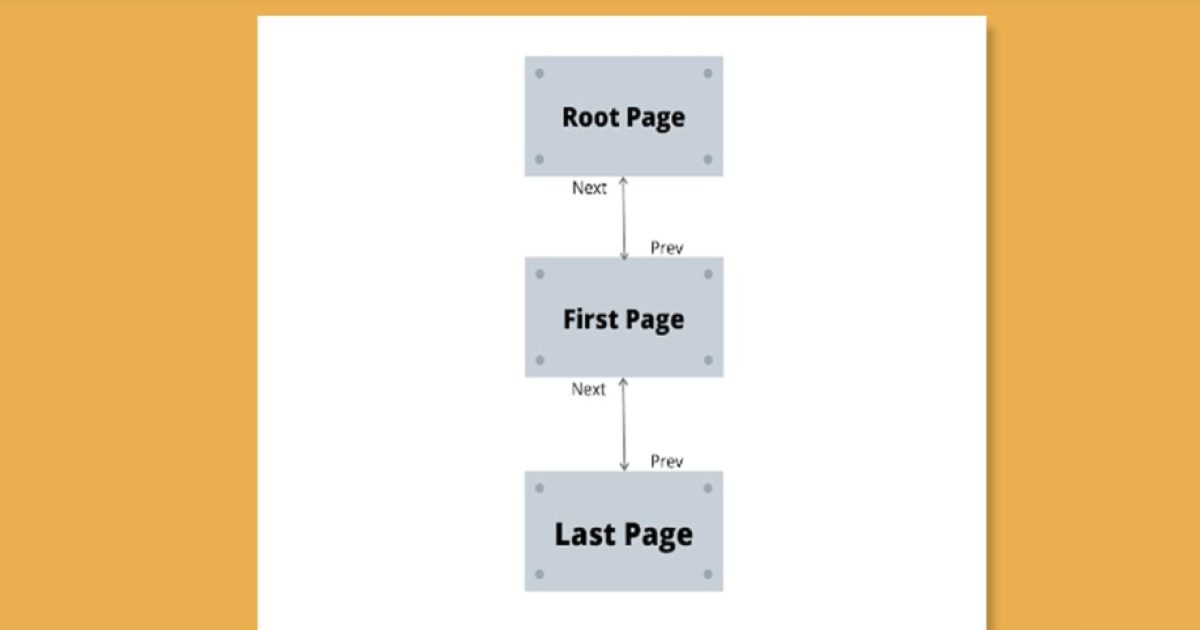
In this case a chain of consecutive pages is created.
Important! Next is the only attribute placed on the first page. On the following ones both Prev and Next have to be set. On the last page of the chain only Prev is given. On the whole the method works, but it demands the utmost attention to detail.
One more important point. Google treats such attributes as advisory rather than obligatory.
Correct pagination on WordPress sites. What should it look like?
We have gone through the general approaches to pagination regardless of the platform a site runs on. Let us look at what is specific to sites on particular content management systems. We will start with the most widespread and versatile one — WordPress.
Several important features of this engine:
- By default this CMS has no numbered pagination, but you can move between pages with Forward, Back, Next buttons and the like (numbered pagination can be added through plugins or the theme).
- The site's admin panel has no appearance settings and no buttons to switch pagination on or off (as is done, for example, in Joomla).
- As with other tasks on WordPress sites, pagination is easiest to implement with plugins. The most popular are WP-Paginate, WP-PageNavi, Pagination by BestWebSoft and others. All of them make editing the theme's code simpler.
The difficulties of optimisation and pagination on WordPress
What problems and difficulties might you meet while setting up pagination on WordPress sites?
The first and main difficulty has to do with numbered pagination. With numbered pagination you get duplicate content and duplicate title and description meta tags. The out-of-the-box pagination with Next and Previous buttons creates no duplicates.
Setting up pagination without plugins
Pagination can be added to a site without plugins too. In that case you will have to edit the functions.php file that is part of every WordPress theme. This variant of course calls for a higher level of technical skill. But if for some reason you do not want to use a plugin, you can apply the function from the screenshot below:
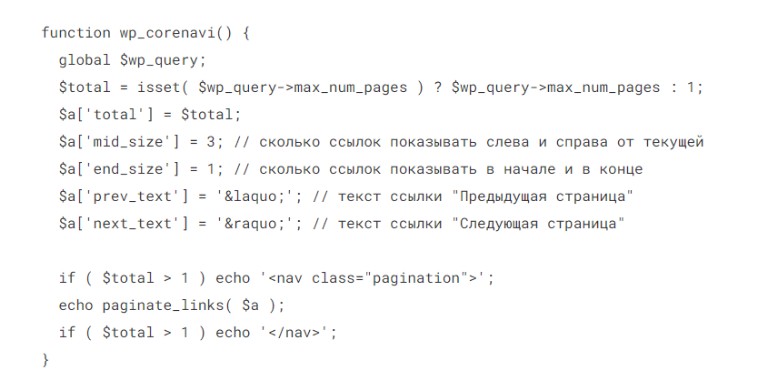
For the pagination to display correctly, add this line of code to the template:

Conclusions
Mistakes in pagination do serious harm to a site's SEO. Here are only some of the possible problems caused by incorrect settings:
-
Search robots will not index pages, or will be unable to crawl the site deeply because of an incorrect URL structure.
-
Duplicates appear and traffic to pages suffers.
If you are working to Google's requirements, we recommend the method with the Canonical attribute. If you would rather keep the pagination pages out of the index altogether, use Noindex in the robots file.
Read our articles and ask your questions in the comments. The Host4Biz team is always glad to provide reliable hosting for your sites.