


Opening Business Box: a look at what SuiteCRM can do
This article is 5 years old — prices and terms may have changed.
A toolkit for remote work would be incomplete without a CRM system. We spent a long time analysing the market and settled on the open source SuiteCRM. It can be installed on your own server and used by any number of people; the only limit is the server's computing power.
While building Business Box, we made sure users would not have to install the CRM themselves. It is enough to sign in and start configuring it.
SuiteCRM: the basic capabilities for your business
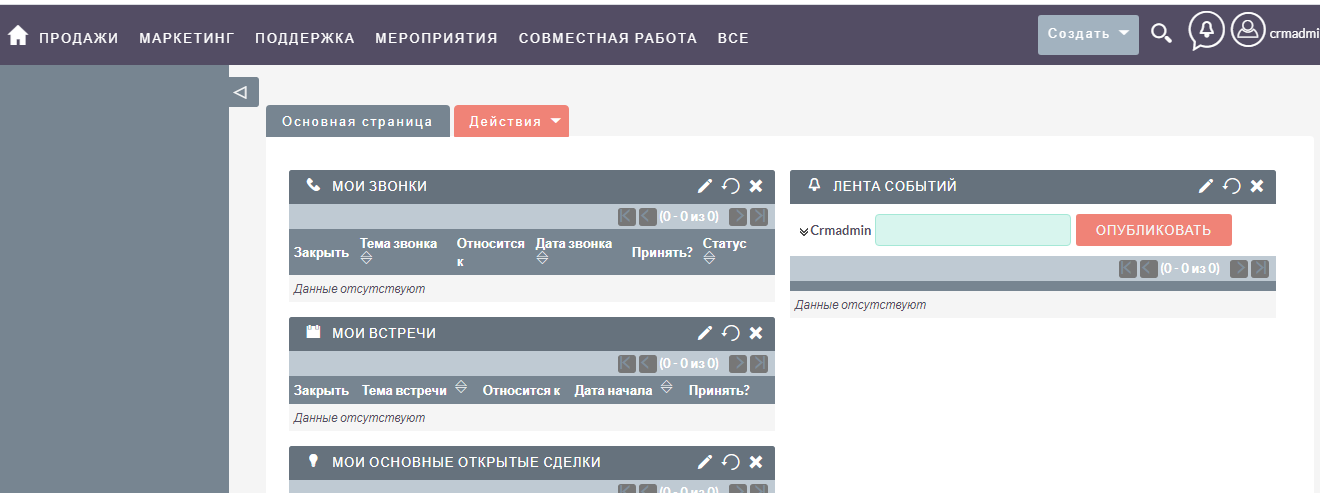
The program's interface is divided into several blocks, each matching a particular task. Let us go through every tab:
- Sales management. Contacts, clients, contracts, leads, proposals and so on are gathered here. This block covers every task connected with managing sales.
- Marketing. Here every metric of a marketing campaign is recorded, along with mailing lists and more. The system can be integrated with email services, and the sources of enquiries can be analysed inside SuiteCRM itself.
- Account managers' activity. A calendar, calls, tasks, meetings and the related functionality. A fairly standard block for a CRM as well. All these functions are there to judge how the sales department is working.
- Forms (or printed forms). A block for storing and configuring forms for proposals and every type of documentation.
- Project management and its tools. Information on internal and client projects is gathered here. The same section holds project templates and a Gantt chart. In the basic version every function is simplified as much as possible, but they make working on projects easy.
- A report generator. A simple but convenient module with basic functions, along with a set of basic reports.
- A process generator. Automating business processes in the CRM is solved on a trigger principle (if… then). The simplest example: when a million-dollar deal appears in the system, an account manager automatically gets the task of sending the client a gift. Such trigger chains can be multi-stage and branching.
- A knowledge base. Here you can create an internal store of files with useful information — most often sales scripts, descriptions of services and goods, job instructions, regulations and so on.
- Cases. The tab for handling complaints and customer support. An internal helpdesk can be created here as well.
- Maps. Here you can work with Google Maps.
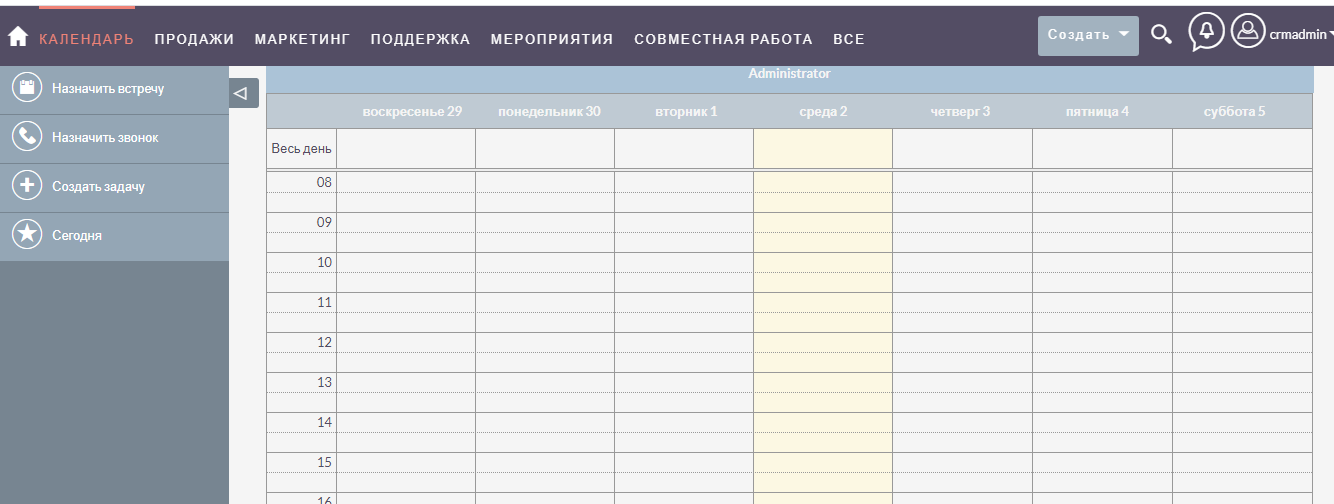 The events calendar in SuiteCRM
Such a wide set of functions makes the CRM versatile and turns it into a genuine control centre for a business.
Integration options for SuiteCRM
Open source code and an API of its own let SuiteCRM be integrated with practically any third-party service or program. Among the most popular integrations:
-
telephony and a variety of virtual PBXs;
-
modules for exporting data as MS Office files (Excel, Word, PowerPoint);
-
various options for integrating with accounting software (problems rarely arise here, but the client's own accounting developer has to take part to organise the data flows correctly);
-
online maps (Google, Yandex) are needed for planning routes, placing clients on a map and planning the movements of couriers and sales managers;
-
landing pages and CMS-based sites from which enquiries about goods or services can be saved; UTM tags allow the channels that produced the leads to be analysed;
-
services for email and SMS campaigns (UniSender, MailChimp).
The full list of integrations is in the SuiteCRM documentation section. If needed, developers can create new methods and an API of your own.
A mobile application for SuiteCRM
Several mobile applications can be used with SuiteCRM, both paid and free. One of them is QuickCRM, available for Android, iOS and Windows. Its convenient interface has shown itself well on every type of screen.
What QuickCRM does for working with a phone and SuiteCRM:
-
contacts can be copied into the CRM or out of it;
-
calls can be made in one click, with the history saved quickly in SuiteCRM;
-
fields in the CRM can be filled in using the phone's camera, and more.
Properly configured, the mobile application makes SuiteCRM very effective for companies whose staff spend a lot of time outside the office.
Administering SuiteCRM
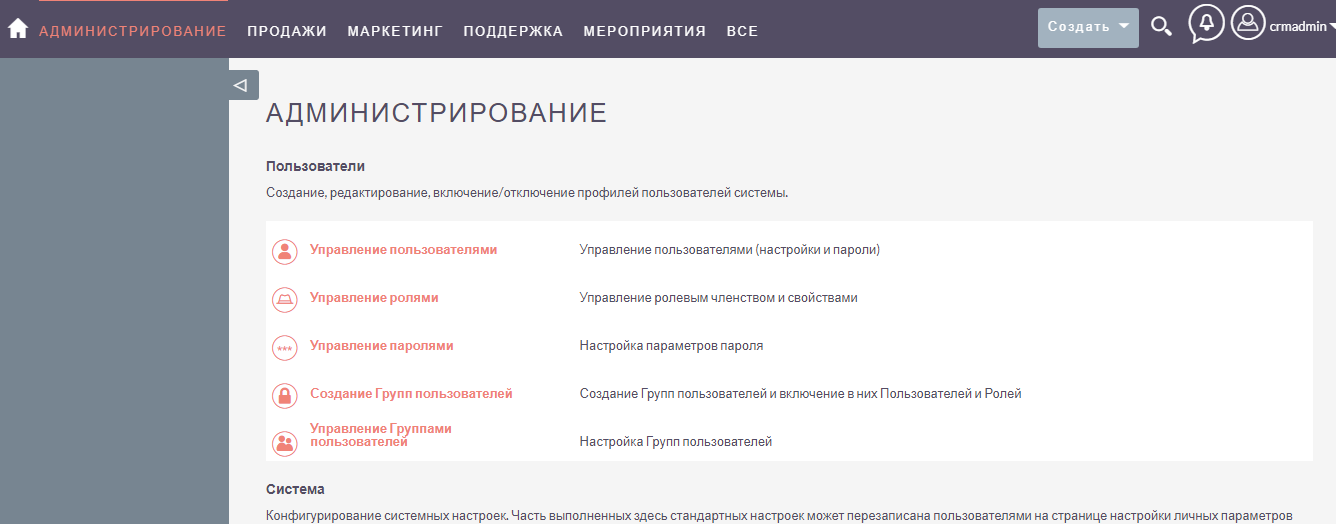
In the SuiteCRM ecosystem you can configure the rights to perform particular actions — setting tasks, creating and deleting records. But access rights do not restrict the viewing of individual fields; field visibility can be limited by modifying the CRM's source code.
The system has a Module Builder. With it you can add fields and change form layouts in small projects or one-off tasks. In large projects it is better to modify the CRM's code.
Conclusions
SuiteCRM manages the marketing, sales and business processes of small and medium companies. This CRM suits various industries and stands out for its wide scope for integration with accounting software, analytics services, mailing services and more.
SuiteCRM integrates with mobile applications, which makes it usable by companies whose staff often work away from the office.
Open source code allows the system's functionality to be extended seriously and its architecture to be changed.
Together with the other Business Box tools, this CRM will help you run a business through isolation and quarantine. Follow our blog for updates — plenty of useful material about business, marketing and digital tools is on the way.